Collection
Where is every work: locations and QR labels
Record each move, and scan a label with a phone to move a work in seconds.
- 1
Locations lists every place a work can be: gallery, storage bays, framer, fairs, borrowers. Add yours on the right.
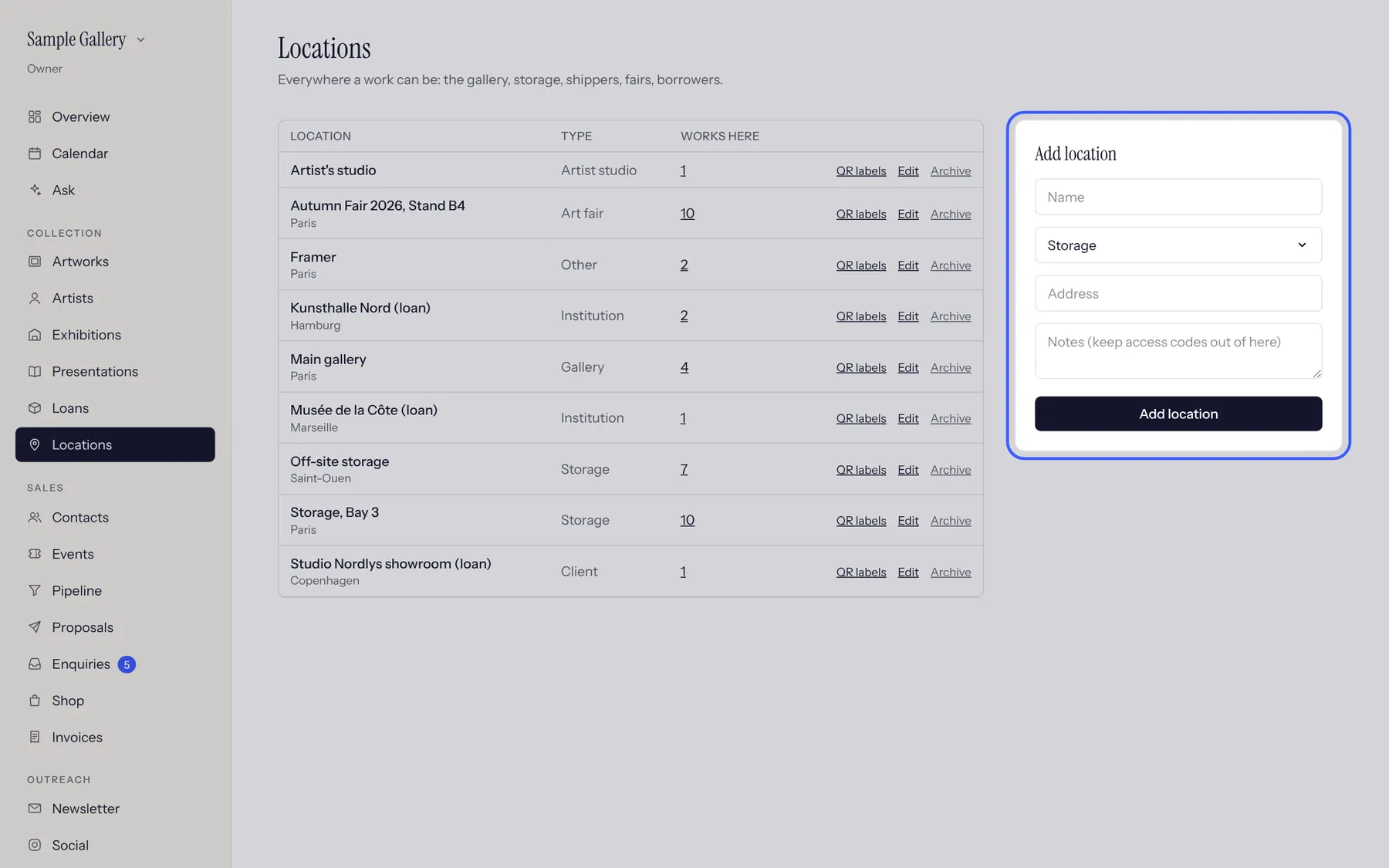
- 2
To move a work, open it, go to Movements and choose the new place. Every move is kept, so you can see where it has been.
- 3
Print QR labels for works or for a whole location. In the storage, open Scan on a phone, scan the label and move the work or change its status.
See also
A question that isn't here? Write to us.