Invoices, payments and the shop
Set up the shop
Sell editions, books and posters on your website. You decide what's in it and switch it on or off.
- 1
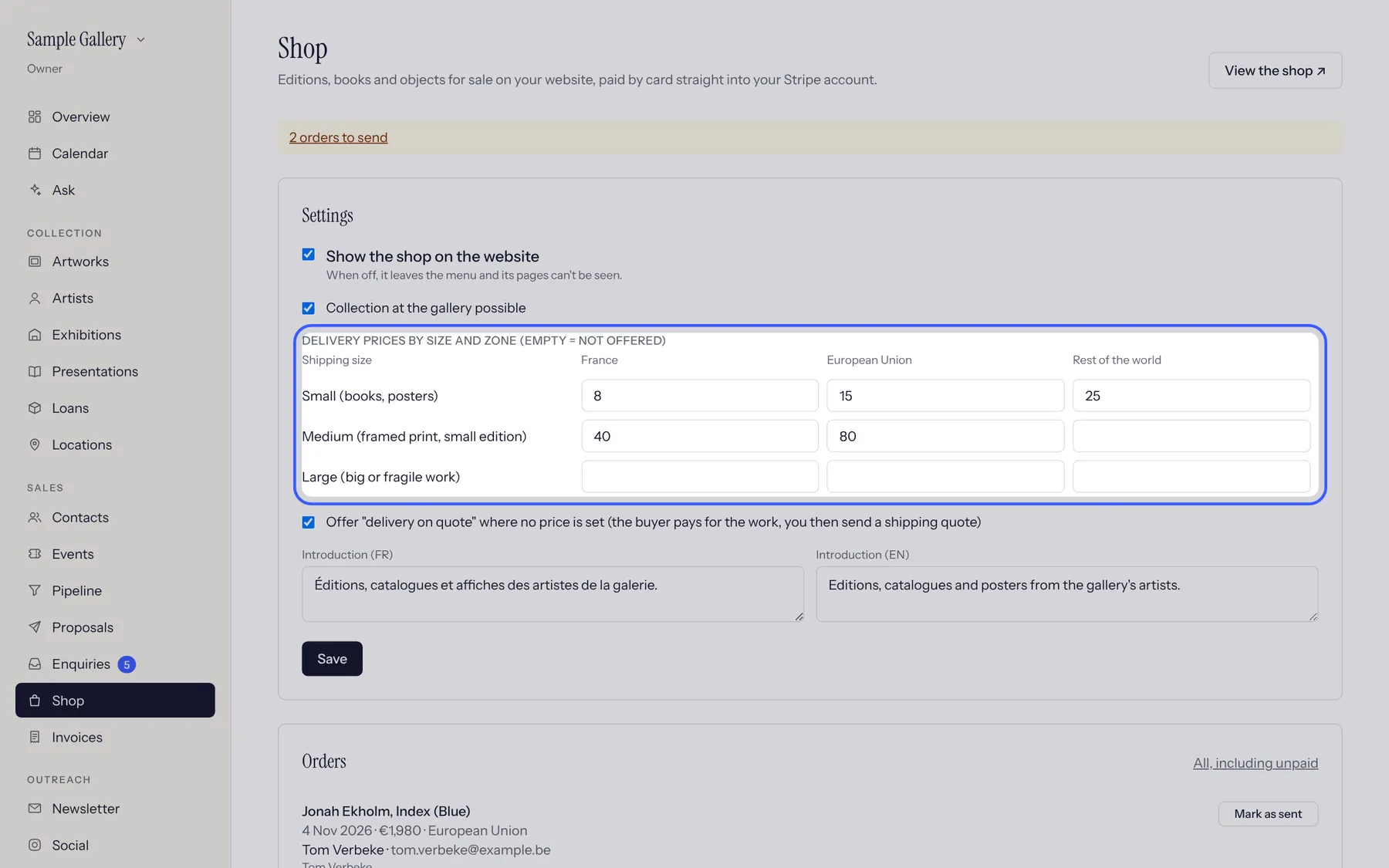
Shop, Settings: set delivery prices by size and zone (an empty box means not offered), whether buyers can collect from the gallery, and "delivery on quote" for big works. Then tick Show the shop on the website.
- 2
To sell an edition, open it, Editions & sales, Sell in the shop, and choose its shipping size. Books and posters are added under Books and objects.
- 3
The shop appears in your website's menu. Unique works stay on enquiry unless you list them.
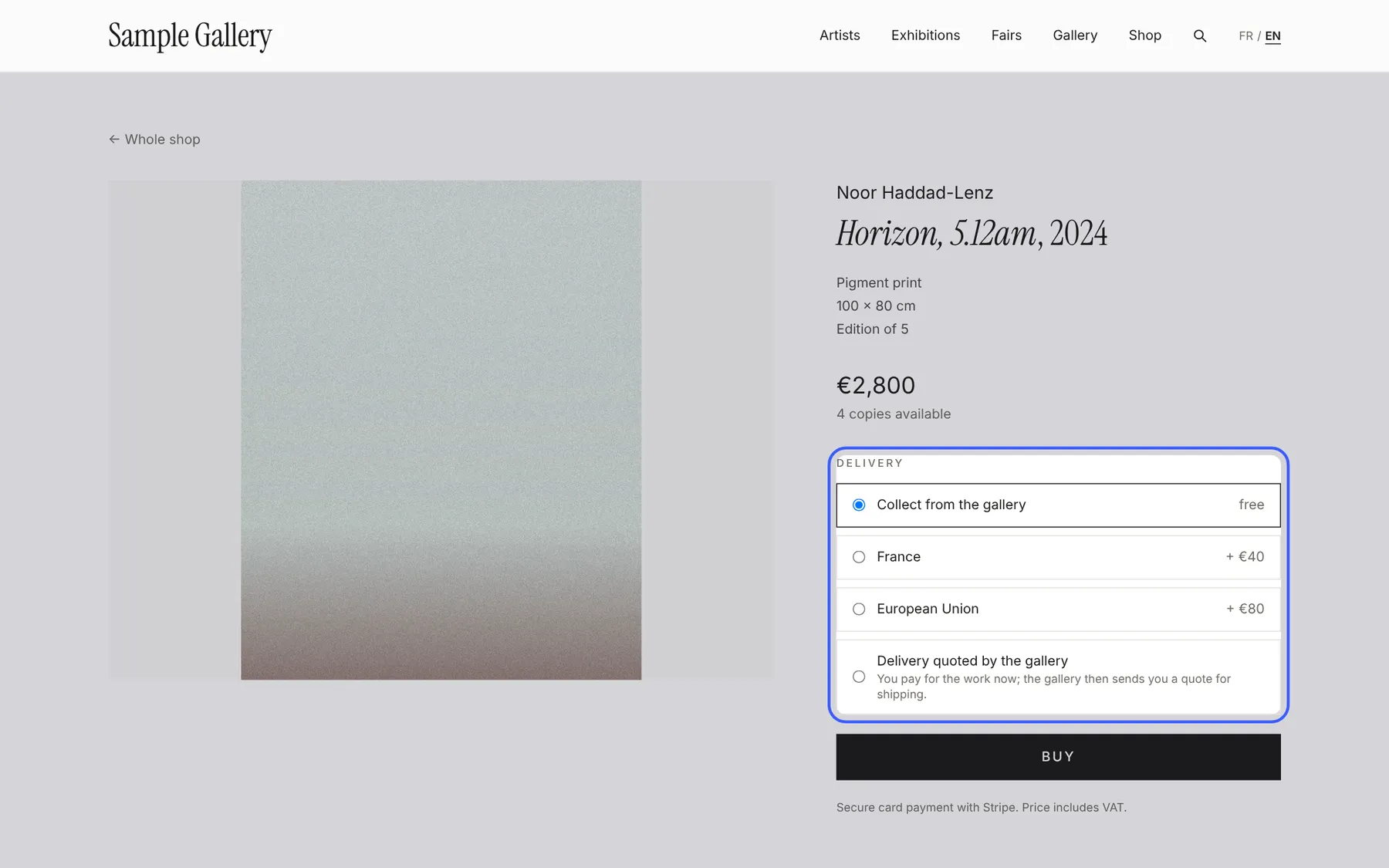
What buyers see: price, copies left, delivery choices and Buy.
See also
A question that isn't here? Write to us.