Getting started
Your first day in Bowerbird House
Find your way around: the menu, the overview, your language and your galleries.
- 1
The menu on the left follows the way a gallery works: Collection (artworks, artists, exhibitions, loans, locations), Sales (contacts, events, the pipeline, proposals, enquiries, the shop, invoices), Outreach (newsletter, social) and Tools. You only see the parts your role allows.
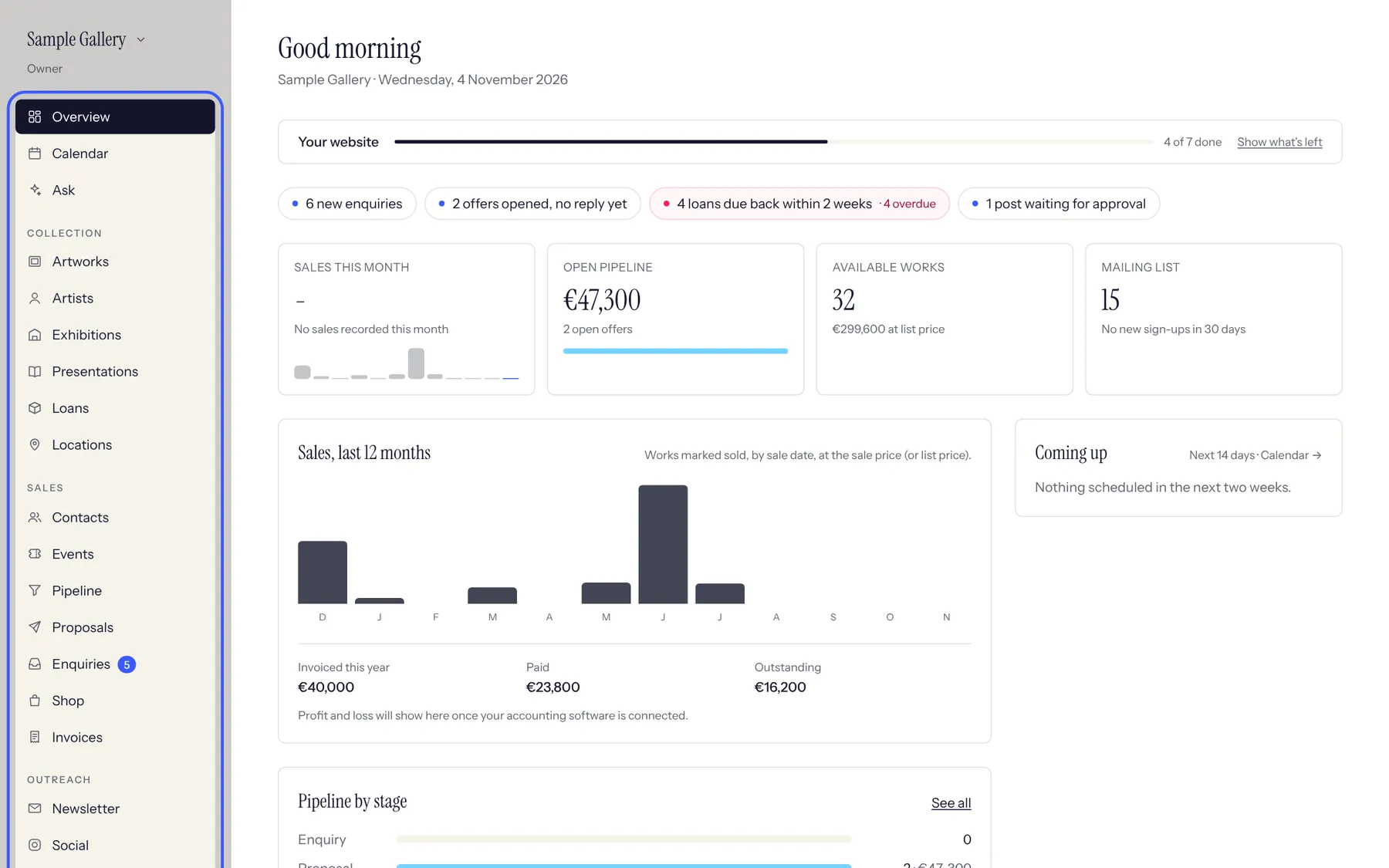
The overview: what needs you today, sales and your pipeline at a glance. - 2
The Overview is your morning page. The coloured chips at the top are things waiting for you (new enquiries, proposals opened without a reply, loans due back). Click one to go straight there.
- 3
Switch between French and English at the bottom of the menu. Each person chooses their own language; the records keep both.
- 4
If you belong to more than one gallery (or want to look at the Sample Gallery), click the gallery name at the top left to switch.
See also
A question that isn't here? Write to us.