Your website
Design your website
Pick a starting look, then adjust typography, colours, header, the top of the homepage and the Artists page, with a live preview.
- 1
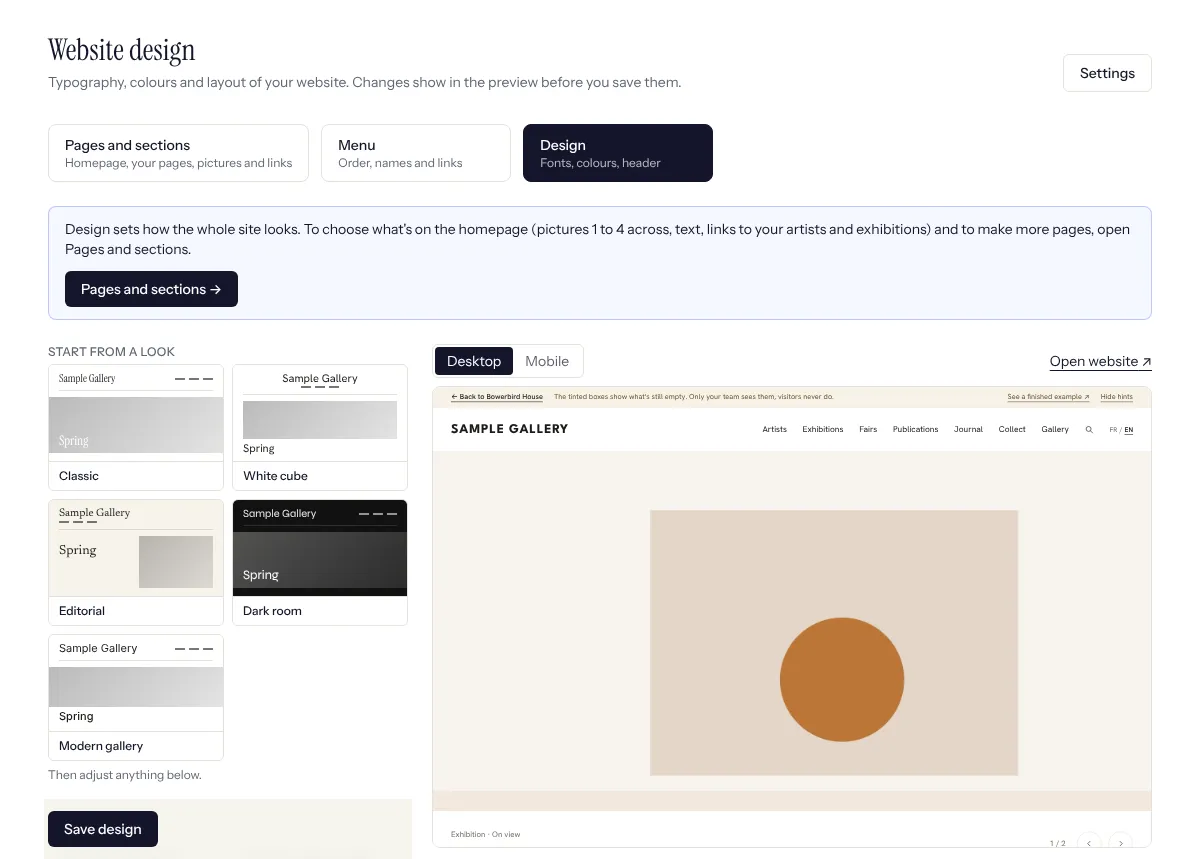
Website, Design tab (or Settings, Website design). Design sets how the whole site looks; what goes on each page (pictures, text, links to artists and exhibitions) is in the Pages and sections tab, see Build your homepage and pages. Start from a look: Classic, White cube, Editorial, Dark room or Modern gallery (sans serif throughout, a large picture slider with the text below it, like the big international galleries). A look only sets the choices below; you can change any of them afterwards.
- 2
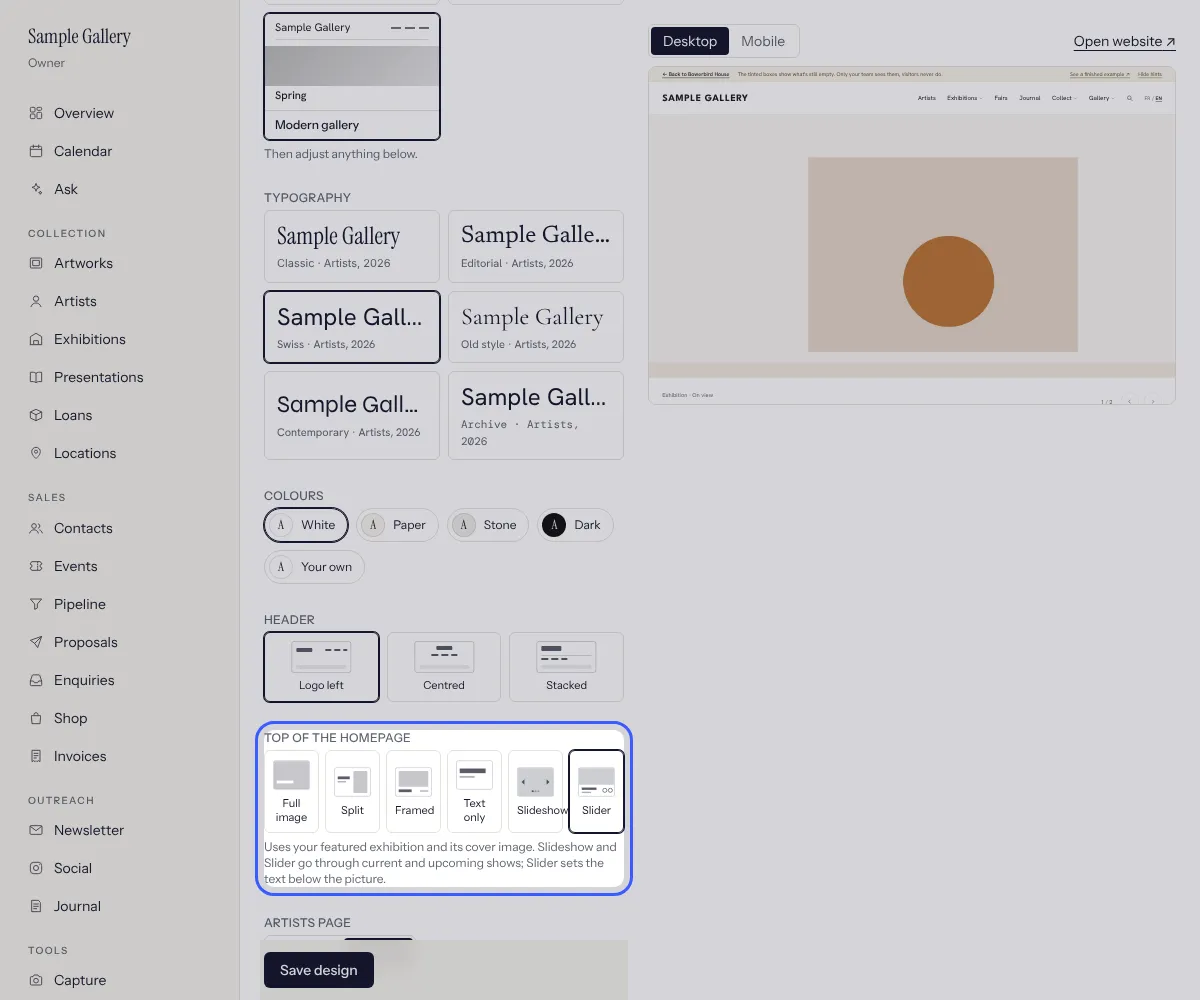
Typography sets the pair of fonts for titles and text (Swiss and Contemporary are sans serif, Classic and Old style have serif titles). Colours: White, Paper, Stone or Dark, or Your own background and text colour; the editor warns if the two are too close to read comfortably.
- 3
Header: logo on the left with the menu on the right (it stays at the top while visitors scroll), centred, or stacked. Top of the homepage: Full image (text over the picture), Over the picture (the picture fills the screen and the logo and menu sit on it, with no white bar), Split, Framed, Text only, Slideshow (pictures change by themselves, text over them) or Slider (picture full width, the label, title, artist, dates and Learn more set below it, with round arrows).
- 4
Artists page: Pictures (four across, a picture and the name) or Names (a plain list in columns). Social links: in the footer, the header or both.
- 5
Every change shows in the preview at once (switch between Desktop and Mobile). Open website shows your real site with the unsaved design, to your team only. Nothing changes for visitors until you press Save design; Discard changes goes back to the saved design.
See also
Build your homepage and pages
Put sections one under the other, link pictures to your artists and exhibitions, then publish.
Choose what's on your homepage
The featured exhibition, the sliders for Opening soon and the Journal, and which sections show, in what order.
Publish to your website
Works, artists and exhibitions appear on your site with one switch, in French and English.
The Journal, your website's blog
News, conversations and a closer look at a work, in French and English. Shown on your site only if you want it.
A question that isn't here? Write to us.