Your website
The Journal, your website's blog
News, conversations and a closer look at a work, in French and English. Shown on your site only if you want it.
- 1
Outreach, Journal. An owner or director presses Show the Journal on the website: it joins the site's menu. You can write articles before turning it on; nobody outside sees them until then.
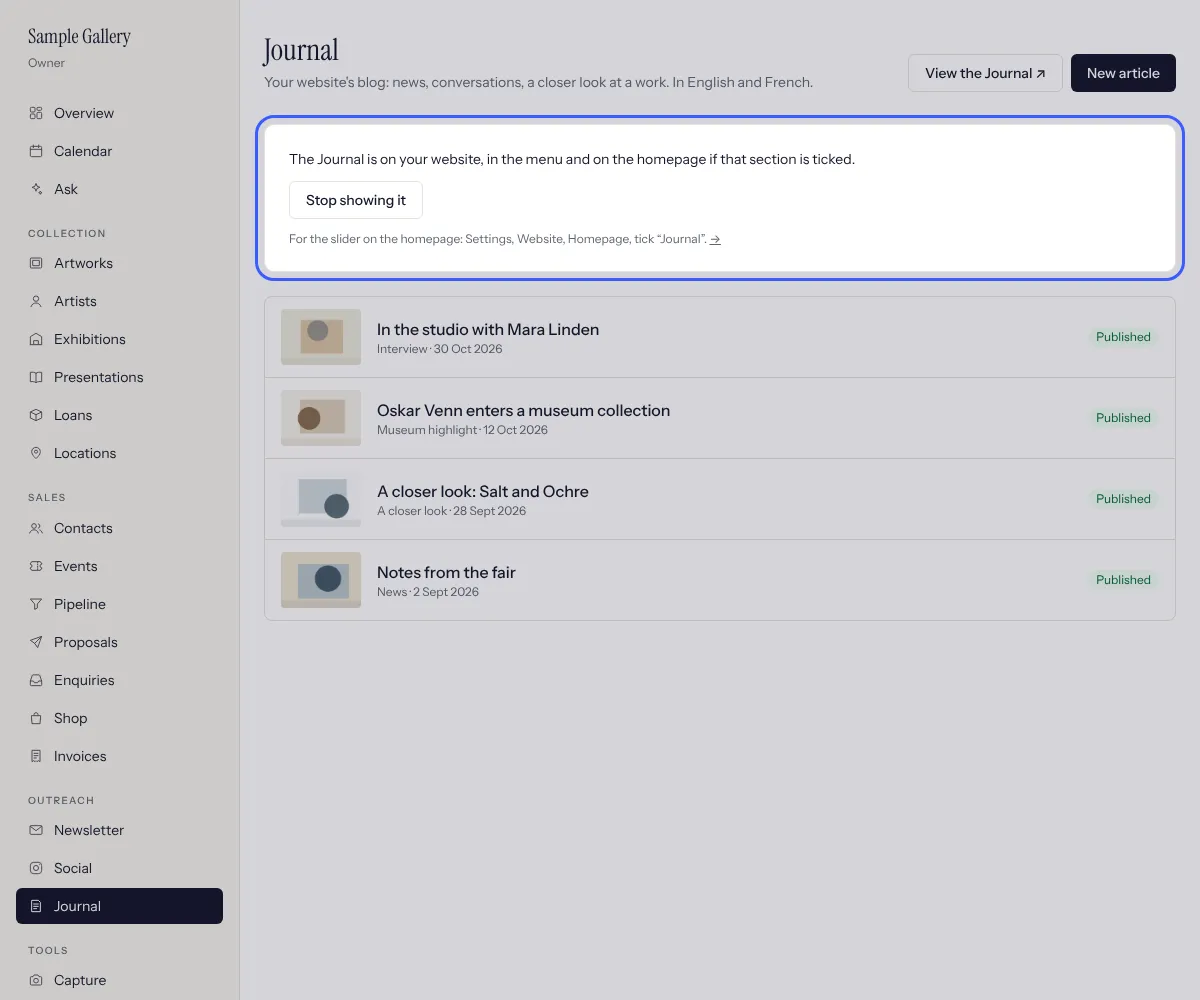
- 2
New article. For each language: a title, a standfirst (a sentence or two under the title), a label such as Interview or Museum highlight, and the text, with an empty line between paragraphs. Fill in one language or both; the site uses the one you wrote for the other.
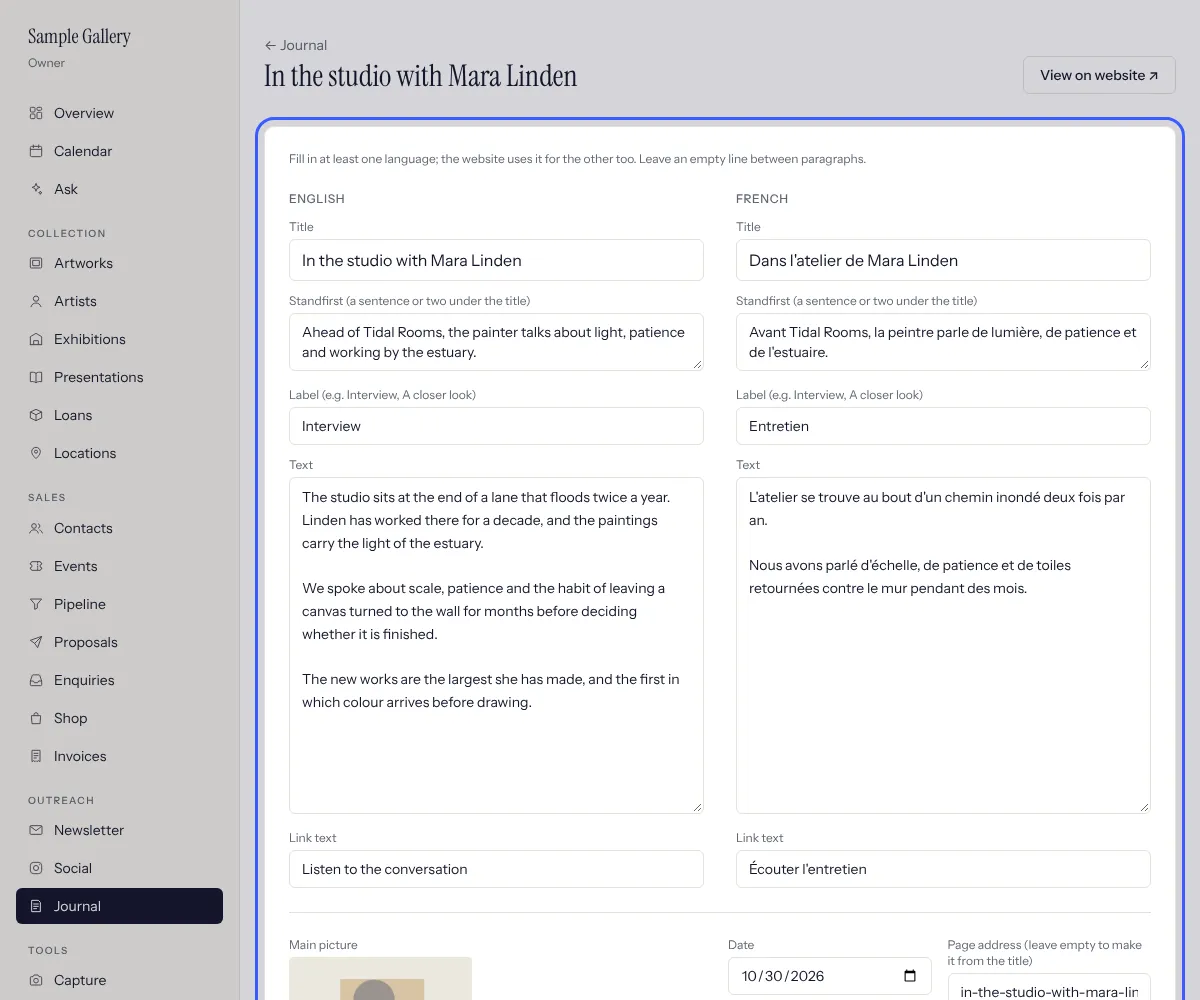
- 3
Below: a main picture (landscape works best), the date, an optional outside link (a podcast, a museum page) with its text, and a related artist or exhibition, linked at the foot of the article. Save, then add more pictures one at a time under More pictures; visitors click them to see them full screen.
- 4
Tick Published and save. The article goes online on its date: choose a later date to schedule it. The list shows Draft, Scheduled or Published.
- 5
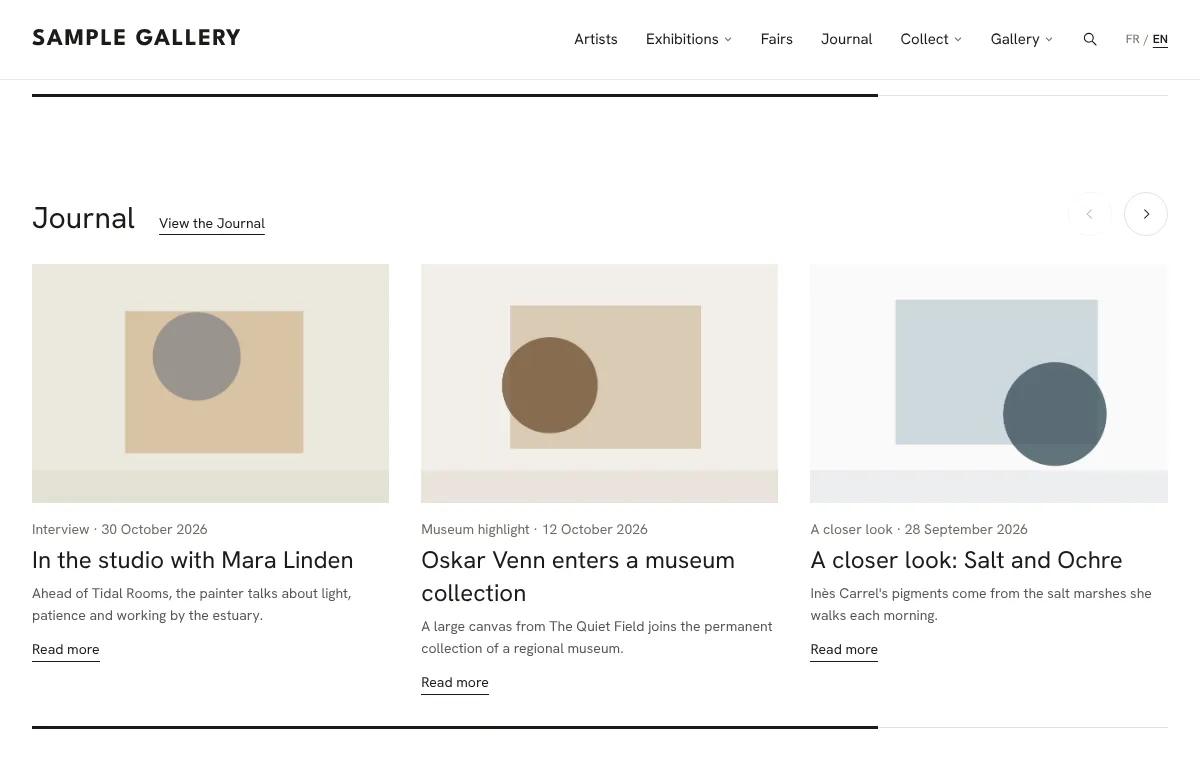
For a row of your latest articles on the homepage, tick Journal in Settings, Website homepage. The Journal page itself shows the newest article large and the others three across.
See also
Choose what's on your homepage
The featured exhibition, the sliders for Opening soon and the Journal, and which sections show, in what order.
Design your website
Pick a starting look, then adjust typography, colours, header, the top of the homepage and the Artists page, with a live preview.
Plan and publish on Instagram
Posts made from your works and shows, captions in French and English, published to your Instagram at the time you choose.
A question that isn't here? Write to us.